Debug Delivery Issues in Your AI Editor with MCP
Eric Lee
April 03, 2026
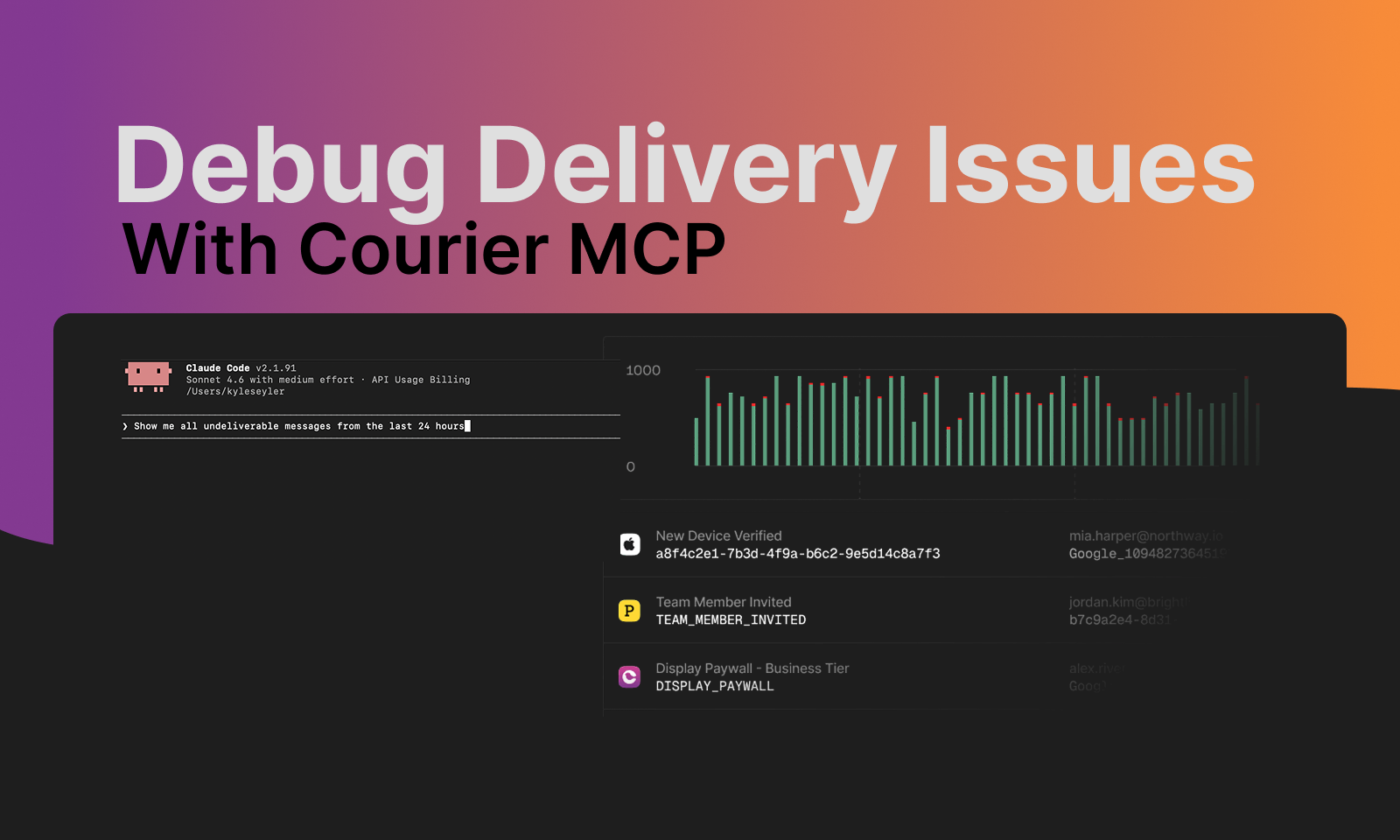
The notification audit post covered how to catalog your entire notification surface area with Courier's CLI and MCP server. That's a periodic review: run it once a quarter, build a hit list, fix what's broken.
This post is about what happens between audits. A customer reports they didn't get an email. A webhook fires with a delivery failure. Your PagerDuty goes off at 2am. You need to figure out what went wrong, right now, without clicking through four dashboards.
Courier's MCP server exposes 59 tools that cover the full API surface. You can investigate a delivery failure the same way you'd investigate a bug: conversationally, from your editor, with an AI agent that can pull data on demand.
Setup
If you already set up MCP for the notification audit, you're good. If not:
Copied!
# Claude Codeclaude mcp add --transport http courier https://mcp.courier.com \--header api_key:YOUR_COURIER_API_KEY
Or add it to your Cursor MCP config:
Copied!
{"mcpServers": {"courier": {"url": "https://mcp.courier.com","headers": {"api_key": "YOUR_COURIER_API_KEY"}}}}
The core debugging loop
Every delivery investigation follows the same three steps: find the message, read the timeline, check the data.
1. Find the message
Ask your agent to pull recent messages filtered by status or recipient:
"Show me all undeliverable messages from the last 24 hours"
The agent calls list_messages with a status filter. You get back message IDs, recipients, providers, and timestamps. If you know the recipient, filter by that instead. If you know the tenant, pass tenant_id. The point is you're narrowing the search with a question, not navigating a UI.
2. Read the timeline
Pick a failed message and trace it:
"Get me the full event history for message 1-abc123"
The agent calls get_message for the status overview, then get_message_history for the step-by-step timeline: enqueued, mapped, routed, rendered, sent, delivered (or not). Each event has a timestamp and metadata. You're looking for where the chain broke.
Common failure points:
- Routed but not sent: The channel was selected but the provider rejected the request. Check the provider response in the Sent event.
- Sent but not delivered: The provider accepted it but the recipient's mail server bounced or deferred it. This is a provider or recipient issue, not a Courier issue.
- Filtered: Courier didn't send it at all because of preferences, send conditions, or missing routing data. Check the filter reason.
- Unroutable: No valid channel was found. Usually means the user's profile is missing the contact info for every configured channel.
3. Check the data
Most "mystery" failures come down to bad data. Ask the agent to pull the user's profile:
"Get the profile for user-456 and check if they have an email address"
The agent calls get_user_profile_by_id. You see exactly what's on the profile: email, phone, push tokens, custom fields. If the field the template needs is missing or malformed, that's your root cause.
For template-level issues, pull the rendered content of a sent message:
"Show me what was actually rendered for message 1-abc123"
get_message_content returns the HTML, text, and subject line that was sent to the provider. Blank fields, broken personalization, stale copy; it all shows up here.
A real example
A customer reports: "Our users on the Acme Corp tenant aren't getting onboarding emails."
The conversation might go:
- "List messages for tenant acme-corp with status undeliverable, last 7 days" — You find 30+ failures, all on the same notification template.
- "Get the history for the first three" — All failed at the Sent step. Provider returned a 550 bounce: "address not found."
- "Pull profiles for the affected recipients" — Email addresses are in the format
user@acme-corp.internal, which is an internal domain that doesn't accept external email. - Root cause identified. The tenant's user provisioning system is writing internal email addresses to Courier profiles instead of external ones. You file the bug with the customer's engineering team and move on.
Total time: a few minutes of conversation. No dashboard navigation, no context switching, no copying message IDs between tabs.
From manual to automated
The manual loop works for one-off investigations. But if you're responsible for delivery reliability across many tenants, you want failures to investigate themselves.
Here's the pattern:
Trigger on failure. Courier can fire webhooks on delivery events. Configure a webhook for courier.message.undeliverable and courier.message.unroutable events. These hit your endpoint with the message ID, recipient, and status.
Hand it to an agent. Your webhook handler passes the message ID to an AI agent with access to Courier's MCP tools. The agent runs the same debugging loop you'd run manually:
Copied!
1. get_message(message_id) → status, provider, error2. get_message_history(message_id) → full event timeline3. get_user_profile_by_id(user_id) → profile data check4. get_message_content(message_id) → rendered output
The agent inspects the results, classifies the failure (bad address, missing profile data, provider rejection, preference block, template error), and compiles a structured report.
Compile and route the report. The agent writes a summary: message ID, recipient, failure class, root cause hypothesis, suggested fix. Route this wherever your team works: a Slack channel, a PagerDuty incident, a Courier Inbox message, or all three.
Batch and digest. If you're processing hundreds of failures, you don't want hundreds of alerts. Use Courier's Automations with a digest step to batch failures over a window (15 minutes, 1 hour) and send a single summary. The agent can classify patterns across the batch: "47 failures on tenant acme-corp, all 550 bounces on @acme-corp.internal addresses" is more useful than 47 individual alerts.
The architecture looks like this:
Copied!
Delivery failure webhook↓Your endpoint (Lambda, serverless function, etc.)↓AI agent with Courier MCP tools↓Structured failure report↓Courier send → Slack / Inbox / PagerDuty(optionally batched via Automations digest)
You're not building a traditional alerting pipeline with static rules. You're building an investigation pipeline where an AI agent does the same root-cause analysis a human would, at machine speed, for every failure.
What you can build today
The manual investigation loop works now with any MCP-compatible client: Cursor, Claude Code, VS Code, Windsurf, or any agent framework that supports MCP. Install the server, point it at your API key, and start asking questions about your delivery data.
The automated pipeline requires webhook infrastructure and an agent runtime (OpenAI Agents SDK, Claude with tool use, LangChain, or any framework that can call MCP tools programmatically). The MCP tools are the same either way; you're just changing who's asking the questions: you, or a script.
Similar resources

How to Build B2B Customer Journeys
Courier Journeys is an AI-native journey builder for multi-step customer messaging. Build on a visual canvas with branching, delays, live data fetching, AI nodes, and omnichannel sends. Define your payload schema so variables autocomplete throughout the flow. Branch on product events and profile data. Use AI to enrich profiles, drive branching logic, or generate personalized message copy. Throttle messages so customers aren't overwhelmed. Compare draft changes against the live version before publishing. Invoke and test from the CLI or MCP server. Scaffold growth patterns with Courier Skills.
By Kyle Seyler
March 30, 2026
Audit Notifications with Cursor or Claude Code
Most teams can't answer a basic question about their own product: what notifications are you sending, and are they working? This post walks through a full notification audit using Courier's CLI and MCP server from inside your coding environment. You'll inventory every template, pull delivery logs to surface failures, trace messages end to end, inspect rendered content for stale copy, map the data feeding each notification, break down delivery health by tenant, check preference coverage, and build a hit list of notifications to kill, revise, or batch. All from the command line. Takes about an afternoon.
By Kyle Seyler
March 27, 2026

Courier vs Customer.io: Complete Customer Engagement Platform Comparison 2026
Courier and Customer.io both support multi-channel messaging, but they are built for different operators. Courier is the customer messaging platform for humans and agents, designed for product teams, growth engineers, and developers who need intelligent messaging infrastructure across journeys, inbox, preferences, and channel orchestration. Customer.io is stronger for marketers and CRM lifecycle teams focused on profile-driven campaigns, segmentation, a/b testing. This comparison breaks down pricing, workflows, in-app messaging, and best-fit use cases.
By Kyle Seyler
March 24, 2026
© 2026 Courier. All rights reserved.